

n8n vs Zapier vs Make: Best Automation Tool for 2026 (Honest Comparison)
Automation tools just became the most contested category in B2B software — and if you’re still picking between n8n vs Zapier 2026 based on a blog post from 2022, you’re working with outdated information that could cost you thousands of dollars annually. Zapier raised prices again in 2025. Make.com rebranded and expanded its enterprise tier. And n8n crossed 50,000 self-hosted deployments globally, becoming the go-to open-source automation choice for technical teams who refuse to pay per-task fees. The market has fragmented, the pricing models have diverged, and the use cases have become far more specific. This is the honest, current comparison you actually need before committing to a workflow automation platform in 2026.
- n8n is the best automation tool for technical teams in 2026 — self-hosted, unlimited workflows, and open-source with a thriving community.
- Zapier remains the easiest tool to use for non-technical users and small teams, but its per-task pricing becomes expensive at scale.
- Make.com (formerly Integromat) hits the sweet spot for visual workflow builders who need more logic than Zapier without the complexity of n8n.
- For EdTech and small businesses, the right choice depends on your technical capacity, workflow volume, and budget ceiling.
- n8n’s self-hosted option offers the best total cost of ownership for teams processing thousands of automations monthly.
Why Workflow Automation Has Become Non-Negotiable in 2026
Workflow automation isn’t a productivity hack anymore. It’s infrastructure. In 2026, the average knowledge worker uses 11 different SaaS applications daily. Without automation connecting these tools, data gets duplicated, tasks fall through cracks, and your team spends 20–30% of their working hours on work that a well-built workflow could handle in milliseconds.
The numbers back this up hard. McKinsey’s 2025 automation report found that 45% of work activities can be fully automated using existing technology — and for roles heavy in data entry, routing, and notifications, that number jumps above 70%. Yet most small businesses and EdTech teams are still manually moving data between their LMS, CRM, email platform, and payment system.
Here’s the EdTech-specific case: an online education company with 500 enrolled students generates hundreds of automation events daily — new enrollments, payment confirmations, course completions, certificate triggers, drip email sequences, Slack notifications to instructors, Airtable updates, and support ticket creation. Managing this manually is not just inefficient — it’s actively preventing growth. A single well-built n8n or Make.com workflow handles all of it while the team sleeps.
The three dominant tools in this space — n8n, Zapier, and Make.com — each approach this problem differently. Understanding how is the only way to make a decision you won’t regret six months into a contract.
Free 2026 Career Roadmap PDF
The exact SQL + Python + Power BI path our students use to land Rs. 8-15 LPA data roles. Free download.
How to Choose the Right Automation Tool: A 5-Step Decision Framework
- Audit your current manual workflows first. Before comparing any tool, list every repetitive task your team does more than twice a week. Include triggers (what starts the task), actions (what happens), and data moved (what information transfers between tools). Most teams discover 8–15 automatable workflows they didn’t realize existed until they write them down.
- Estimate your monthly task volume. This is the number that makes or breaks your budget. Zapier charges per task (one action = one task). Make.com charges per operation. n8n cloud charges per workflow execution, but self-hosted n8n has no per-task cost at all. If you’re running 10,000+ tasks per month, Zapier’s pricing structure becomes painful quickly.
- Assess your team’s technical level honestly. Can someone on your team read JSON, use an API, or write a basic JavaScript expression? If yes, n8n unlocks significantly more power. If no, Zapier’s guided setup and Make.com’s visual canvas are better fits that won’t require a developer to maintain.
- Decide on hosting preference. n8n is the only major tool with a robust self-hosted option. For teams with data privacy requirements — healthcare EdTech, financial training, EU-regulated businesses — self-hosting isn’t optional, it’s a compliance need. Zapier and Make.com are cloud-only.
- Prototype before committing. All three platforms offer free tiers or trials. Build your most critical workflow on each platform before paying for anything. The platform that feels intuitive for your specific workflow is the right platform for you — regardless of what any comparison post (including this one) says.
Real Use Cases: LMS, AI Tutors, Universities, and Skill Platforms
LMS Platforms: When a student completes a course on Teachable or Thinkific, a Make.com scenario can simultaneously update an Airtable record, send a personalized certificate via PDF.co, trigger a Slack notification to the instructor, tag the student in ActiveCampaign for an upsell sequence, and log the completion in a Google Sheet for reporting. This entire chain runs in under 3 seconds with zero human involvement. Zapier can do the same, but Make.com’s scenario canvas makes multi-branch logic (e.g., “if course = advanced, send premium certificate; else send standard”) far easier to visualize and maintain.
AI Tutor Platforms: EdTech teams building AI tutor products are using n8n to build complex feedback loops — student submits answer → n8n sends to OpenAI API → response is evaluated → if score below threshold, trigger additional resource recommendation → log all interactions to Supabase. This kind of conditional, API-heavy workflow is where n8n’s code nodes and HTTP request blocks genuinely outperform both Zapier and Make.com.
Universities: University admissions and student services teams handling high document volumes are using Make.com to automate application processing — form submission triggers document parsing, faculty notification, calendar scheduling, and CRM record creation simultaneously. Zapier’s linear “one trigger, one action” model struggles with the fan-out workflows universities need. Make.com handles parallel branches natively.
Skill-Based Platforms: Upskilling platforms with badge and certification systems use n8n self-hosted to issue blockchain-verified credentials via APIs, avoiding the data residency concerns that cloud-only tools create. For platforms handling professional certifications in regulated industries, this is a major differentiator.
Full Comparison, Flowchart & Key Insights
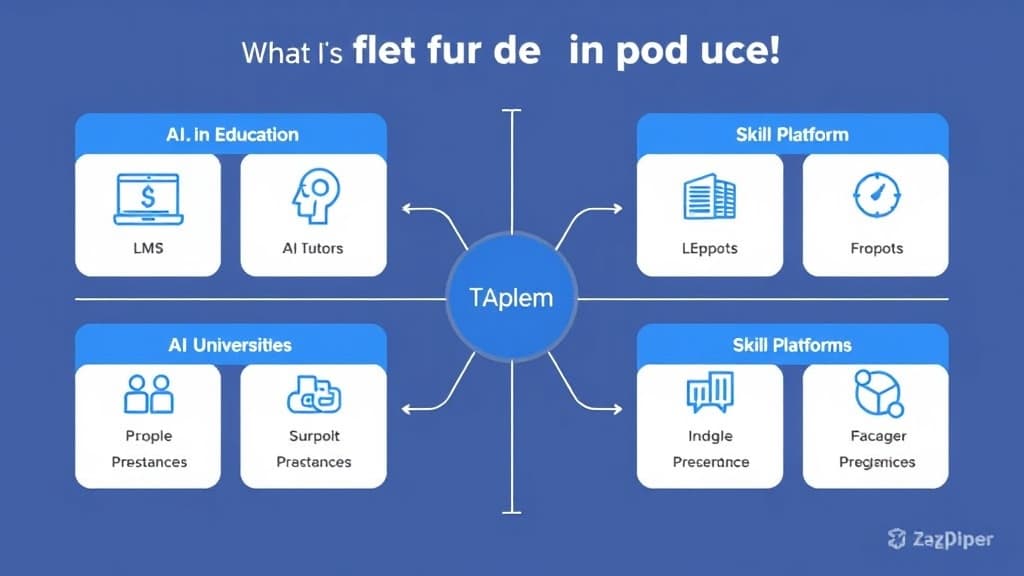
n8n vs Zapier vs Make: 2026 Full Comparison Table
| Feature | n8n | Zapier | Make.com |
|---|---|---|---|
| Pricing (2026) | Free (self-hosted); Cloud from $20/mo | From $29.99/mo (750 tasks) | Free tier; from $9/mo (10k ops) |
| Self-Hosting | Yes — Docker, npm, cloud VPS | No — cloud only | No — cloud only |
| Integrations | 400+ native; unlimited via HTTP | 6,000+ native apps | 1,500+ native apps |
| Workflow Complexity | Very High — branching, loops, code | Low-Medium — linear flows | High — visual branching, routing |
| Code Support | Yes — JavaScript & Python nodes | Limited — Code by Zapier (JS) | Limited — basic functions |
| Best For | Technical teams, data-heavy workflows | Non-technical users, quick wins | Mid-complexity, visual thinkers |
| Free Tier | Yes — unlimited self-hosted | Yes — 100 tasks/mo (very limited) | Yes — 1,000 ops/mo |
Automation Build Flowchart
Key Insights
- n8n’s self-hosted free tier is the most powerful free option in automation: For any technically capable team, running n8n on a $6/month DigitalOcean droplet delivers unlimited workflow executions — a cost that becomes negligible compared to Zapier’s per-task billing at scale.
- Zapier’s 6,000+ integrations are its moat: No other platform comes close for breadth of native connectors. If your stack includes obscure or niche SaaS tools, Zapier may be the only option with a pre-built integration.
- Make.com is consistently underrated: Its scenario canvas, router modules, and error-handling flows handle workflow complexity that would require developer intervention in Zapier — at a fraction of the price.
- n8n’s AI workflow capabilities have surged in 2026: Native LangChain integration, AI agent nodes, and vector database connectors make n8n the default choice for teams building AI-powered automation pipelines.
- Zapier’s pricing inflection point is around 5,000 tasks/month: Below that, it’s reasonable. Above it, most teams find Make.com or n8n dramatically more cost-effective — often 60–80% cheaper for equivalent workflow volume.
- Open-source community = faster problem-solving: n8n’s GitHub community and workflow template library means most automation problems have already been solved and documented. The time-to-solution advantage is real.
Case Study: How an EdTech Company Cut Operations Time by 60% Using Make.com

Company: A 12-person online professional development platform serving HR teams at mid-size companies (anonymized).
Before: Every new corporate client enrollment triggered a chain of manual tasks: creating user accounts in their LMS (Teachable), adding client contacts to HubSpot CRM, sending welcome email sequences, scheduling onboarding calls via Calendly, notifying the account manager in Slack, and updating their client roster in Google Sheets. With 30–50 new enrollments monthly, this consumed roughly 22 hours of admin time per week across two team members.
After: The team implemented Make.com scenarios connecting Typeform (enrollment form) → Teachable API → HubSpot → Mailchimp → Calendly → Slack → Google Sheets. The entire enrollment chain now runs automatically within 90 seconds of form submission. Edge cases (failed payments, incomplete forms) route to a separate error-handling scenario that creates a Slack alert for manual review.
Results:
- Admin time for enrollment operations dropped from 22 hours/week to under 8 hours/week — a 63% reduction.
- Time-to-first-contact for new enrollments went from an average of 4.2 hours to under 2 minutes.
- Client satisfaction scores improved by 28 points on their NPS survey — attributed specifically to faster onboarding speed.
- Make.com platform cost: $29/month. Equivalent Zapier plan for the same task volume: ~$299/month. Annual savings on tooling alone: $3,240.
4 Automation Mistakes That Break Workflows and Waste Hours
-
Mistake 1: Building complex workflows before testing simple ones.
Why it hurts: Multi-step workflows with 8+ actions have exponentially more failure points. When something breaks, diagnosing which step failed in an untested, complex chain takes hours.
Fix: Build and test each step individually before chaining them. Confirm each action works with real sample data before adding the next node. -
Mistake 2: Skipping error handling entirely.
Why it hurts: Every automation will eventually receive malformed data, hit an API rate limit, or encounter a null field. Without error handling, workflows fail silently — and you discover problems weeks later when the data is a mess.
Fix: Add error routes to every critical workflow. At minimum, create a fallback path that sends a Slack or email alert when a workflow step fails. Make.com’s error handlers and n8n’s error workflow feature make this straightforward. -
Mistake 3: Using Zapier for high-volume, logic-heavy workflows.
Why it hurts: Zapier’s linear flow model and per-task pricing make it structurally wrong for workflows requiring conditional branching, loops, or bulk data processing. Teams hit billing shock and workflow limitations simultaneously.
Fix: Use Zapier for simple, low-volume, point-to-point automations. Migrate complex or high-volume workflows to Make.com or n8n where the pricing model and feature set align with the use case. -
Mistake 4: No documentation for your workflows.
Why it hurts: Automation built without documentation becomes unmaintainable within 6 months. When the person who built it leaves or is unavailable, no one knows what the workflow does, why certain conditions exist, or which workflows depend on each other.
Fix: Add notes/descriptions to every node and scenario. Maintain a simple Notion or Google Doc log of what each workflow does, what it connects, and who owns it. Treat automation like code — it needs documentation.
FAQ: n8n vs Zapier vs Make in 2026
- Is n8n really free to use in 2026?
- Yes — n8n is free to self-host with no task limits or workflow caps. You only pay for the server you run it on (typically $5–$20/month on a cloud VPS). The n8n cloud plan starts at $20/month if you prefer managed hosting without server maintenance.
- What is the main difference between Zapier and Make.com?
- Zapier uses a linear trigger-action model best for simple two-step automations. Make.com uses a visual scenario canvas that supports complex branching, routing, and parallel paths. Make.com is significantly more powerful for multi-step workflows and charges per operation rather than per task — making it cheaper at volume.
- Can n8n replace Zapier for a small business?
- For technically capable teams, yes. n8n handles most workflows Zapier handles, plus complex logic Zapier can’t. The trade-off is setup time and a steeper learning curve. Non-technical users will find n8n harder to start with than Zapier’s guided interface.
- Which automation tool is best for EdTech companies in 2026?
- Make.com hits the best balance for most EdTech teams — visual enough for non-developers, powerful enough for complex enrollment and notification workflows, and priced fairly for growing platforms. n8n is the better choice for EdTech teams with developers on staff who need AI workflow integration and data privacy controls.
- What is the best free alternative to Zapier in 2026?
- n8n self-hosted is the best free Zapier alternative for technical teams. Make.com’s free tier (1,000 operations/month) is the best free option for non-technical users who need a visual, cloud-based tool without the complexity of self-hosting.
Pick Your Tool, Build Your First Workflow, and Stop Doing It Manually
The n8n vs Zapier vs Make debate doesn’t have a universal winner — and anyone who tells you otherwise is selling you something. The right answer depends entirely on your team’s technical capacity, your workflow volume, your budget ceiling, and whether data privacy requirements make cloud-only tools a non-starter.
Here’s the simplified decision: If you have a developer or technical co-founder, start with n8n self-hosted — the total cost of ownership is unbeatable and the capability ceiling is the highest of any tool in this comparison. If you need to get automations running today without any technical setup, Zapier gets you there fastest. If you’re somewhere in the middle — visual thinker, moderate complexity needs, cost-conscious — Make.com is the tool that consistently surprises people with how much it can handle.
The worst outcome isn’t choosing the “wrong” platform — it’s choosing nothing and continuing to do manually what software can handle automatically. Your team’s attention is finite. Every hour spent on repeatable data tasks is an hour not spent on strategy, content, student experience, or growth.
Build your first automation workflow this week. Pick the trigger, map the actions, test with real data, and activate it. The compounding returns on well-built automation are among the highest leverage investments any small team can make in 2026.
Book a Free Demo at GrowAI

