

Claude vs ChatGPT for Developers: Which AI Coding Assistant Wins in 2026?
Developers are spending an average of 3 hours per day interacting with AI coding assistants; however, most admit they’re not sure they’re using the right one. Consequently, if you’ve found yourself toggling between Claude and ChatGPT mid-task, copy-pasting the same prompt into two tools just to compare answers, you’re not alone. Meanwhile, the AI coding assistant landscape in 2026 has exploded, and as a result, choosing the wrong tool costs real productivity. Therefore, this guide breaks down exactly how Claude, ChatGPT, and GitHub Copilot stack up for software development in 2026 — not just in theory, but rather through the work that matters most: code generation, debugging, refactoring, and shipping.
- Claude excels at long-context tasks, code explanation, and complex refactoring
- ChatGPT-4o is stronger for conversational iteration and plugin-based workflows
- GitHub Copilot wins for in-editor autocomplete and PR integration
- 68% of developers now use at least one AI coding tool daily (Stack Overflow 2025)
- The right tool depends on your task type — not brand loyalty
- Smart developers use all three for different parts of their workflow
Why the AI Coding Tool You Choose Actually Matters
How to Choose the Right AI Coding Assistant for Your Workflow
- Identify your primary coding task — Is it autocomplete, code review, architecture discussion, or debugging? Each tool has a sweet spot.
- Check context window needs — Working with files over 10,000 lines? You need Claude’s 200K context or GPT-4 Turbo’s 128K. Copilot works file-by-file.
- Evaluate IDE integration — GitHub Copilot and Cursor integrate natively. Claude and ChatGPT need API wrappers or browser tabs.
- Test with your actual codebase — Paste a real function and ask each tool to refactor it. Judge on code quality, not demo examples.
- Factor in pricing — Solo dev? Copilot at $10/month is hard to beat. Team? Claude API pricing scales better for high volume.
- Build a multi-tool workflow — Use Copilot for in-editor suggestions, Claude for architecture and review, ChatGPT for quick iteration loops.
Use Cases Across EdTech and Software Teams
LMS Platforms: Engineering teams building LMS features use Claude to review large student data processing pipelines — its context window handles the entire codebase review in one session.
AI Tutors: AI tutor products built on GPT-4o leverage ChatGPT’s conversational API for real-time student Q&A with code execution via Code Interpreter.
Universities: CS departments integrate GitHub Copilot into student IDEs for guided autocomplete — reducing syntax errors by 44% in introductory courses (per EDUCAUSE 2025 pilot data).
Skill Platforms: GrowAI’s coding track uses Claude for project code reviews and ChatGPT for instant doubt resolution — different tools for different learning moments.
Free 2026 Career Roadmap PDF
The exact SQL + Python + Power BI path our students use to land Rs. 8-15 LPA data roles. Free download.
Comparison: Claude vs ChatGPT vs GitHub Copilot
| Dimension | Claude Sonnet 4.5 | ChatGPT-4o | GitHub Copilot |
|---|---|---|---|
| Context Window | 200K tokens | 128K tokens | File-level only |
| Code Quality | Excellent for complex refactors | Strong for iterative fixes | Best for autocomplete |
| IDE Integration | Via API/Cursor | Via API/plugins | Native VS Code, JetBrains |
| Pricing | $20/mo (Pro) or API | $20/mo (Plus) or API | $10/mo individual |
| Best For | Architecture, large codebase review | Debugging, conversational iteration | In-editor autocomplete |
| EdTech Use Case | Code review, curriculum design | Student Q&A, real-time help | In-IDE learning support |
Flowchart — Choosing Your AI Coding Tool:
START → [Define coding task] → [Autocomplete needed? → GitHub Copilot] → [Long context/review? → Claude] → [Iterative debugging? → ChatGPT] → [Generate code] → [Review + test] → [Iterate with AI] → [Ship feature] → END
Key Insights
- Context is king: Claude’s 200K token window is a genuine advantage for large-scale refactoring tasks
- Copilot earns its keep: In-editor native integration adds up — developers accept 30-40% of Copilot suggestions without editing
- ChatGPT wins conversations: When you need to explain a bug step by step, GPT-4o’s conversational UX is the most intuitive
- The tool gap is closing: Claude and ChatGPT now both support code execution — the feature gap is narrowing fast
- Prompt quality matters more than tool choice: A well-structured prompt outperforms a poor one regardless of which model you use
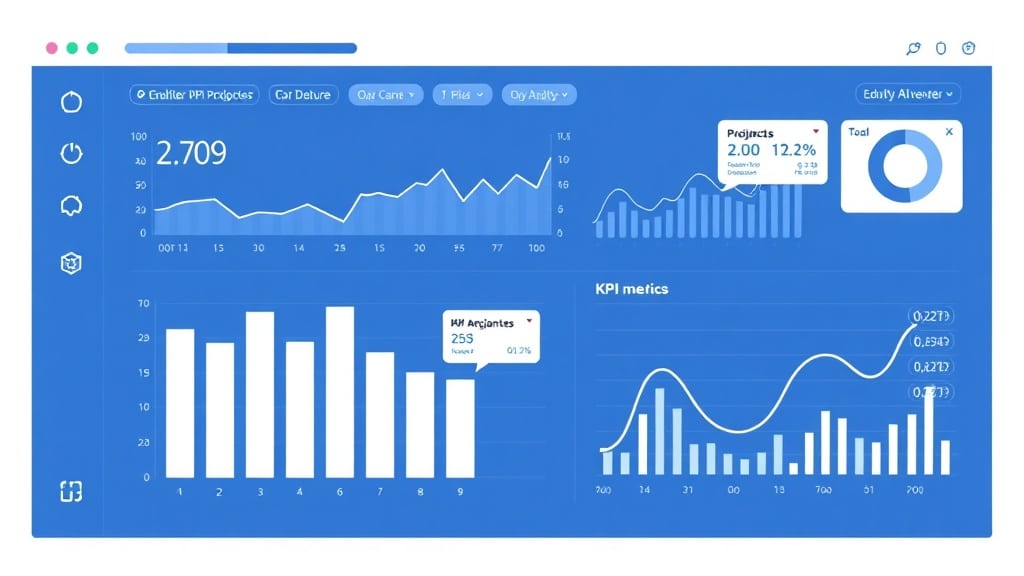
Case Study: How SkillBridge Boosted Dev Productivity by 38%
Before: Initially, SkillBridge, an EdTech startup with a 6-person engineering team, was using ChatGPT exclusively for all AI-assisted development. As a result, sprint velocity was stuck at 18 story points per two-week cycle. Moreover, code review took 4–5 hours per PR due to constant context-switching between files.
After: Subsequently, the team switched to a multi-tool workflow: GitHub Copilot for daily coding, Claude for PR reviews and architecture discussions, and ChatGPT for rapid prototyping and API exploration.
Result: Consequently, sprint velocity increased to 25 story points (a 38% gain). At the same time, PR review time dropped to just 90 minutes. In addition, the bug backlog reduced from 47 open issues to 12 within one quarter. Overall, the team estimated 6 hours saved per developer per week.
Common Mistakes Developers Make With AI Coding Tools
- Using one tool for everything. Why it happens: brand loyalty and habit. Fix: map your task types and assign tools deliberately — Copilot for autocomplete, Claude for review, ChatGPT for iteration.
- Accepting AI code without testing. Why it happens: AI-generated code looks correct and runs immediately. Fix: always run tests on AI-generated functions before committing. Treat AI output like code from a junior dev — review it.
- Weak prompts expecting strong output. Why it happens: developers treat AI like a search engine. Fix: include context, constraints, and expected output format in every prompt. “Refactor this function for readability, keep the same interface, use Python 3.12 syntax” beats “make this better.”
- Ignoring context window limits. Why it happens: developers paste partial code and get partial answers. Fix: when working with large codebases, use Claude’s full context window — paste the entire relevant file, not just the function.
FAQ: AI Coding Assistants in 2026
Is Claude better than ChatGPT for coding?
Well, it depends on the task. In general, Claude handles large codebases and refactoring better due to its 200K context window. On the other hand, ChatGPT is stronger for conversational debugging and rapid iteration. Therefore, most professional developers use both.
Can GitHub Copilot replace ChatGPT for developers?
No — in fact, they serve different purposes. Specifically, GitHub Copilot is an in-editor autocomplete tool. Meanwhile, ChatGPT and Claude are conversational assistants for planning, debugging, and architecture. As a result, you should use Copilot inside your IDE and the others for higher-level tasks.
Is it worth paying for Claude Pro as a developer?
Yes, especially if you work with complex codebases or need long document analysis. In particular, the 200K context window pays off when reviewing large PRs or legacy code. Overall, at $20/month, it’s cost-effective for most professional developers.
What AI coding tool do most developers use in 2026?
Currently, GitHub Copilot has the highest adoption rate at 42% among developers (Stack Overflow 2025). Meanwhile, ChatGPT follows at 38%, and Claude at 29%. Consequently, many developers use multiple tools depending on the task type.
Will AI replace software developers in 2026?
No. In reality, AI coding tools are productivity multipliers, not replacements. For instance, they handle boilerplate, documentation, and routine refactoring. However, architecture decisions, business logic, and debugging complex distributed systems still require human judgment.
Conclusion
The AI coding assistant debate isn’t Claude vs ChatGPT vs Copilot — it’s about knowing which tool to reach for when. Claude owns long-context review, ChatGPT owns conversational debugging, and Copilot owns your IDE. The developers shipping the most in 2026 aren’t loyal to one tool; they’ve built a deliberate workflow using all three.
Book a Free Demo at GrowAI and see how our curriculum integrates Claude, ChatGPT, and Copilot into hands-on projects.
Internal links: AI and automation courses | Data analytics learning path
Ready to start your career in data?
Book a free 1-on-1 counselling session with GrowAI. Personalised roadmap, zero pressure.

