

AI-Assisted Coding: How 68% of Developers Use GitHub Copilot and Cursor in 2026
AI-Assisted Coding: How 68% of Developers Use GitHub Copilot and Cursor in 2026
A JetBrains developer survey published in January 2026 dropped a number that stopped the industry cold: 68% of professional developers now use an AI coding assistant daily, up from 44% in 2024. That’s not a gradual adoption curve — that’s a near-vertical line. The holdouts are shrinking, the tooling has matured, and the developers who haven’t integrated AI coding tools 2026 into their workflow are now measurably slower than their peers. GitHub Copilot and Cursor have emerged as the two dominant tools in this space, but they work differently, suit different workflows, and have meaningfully different ceiling levels for what they can do. If you’re still evaluating, still on a free plan, or still copy-pasting from ChatGPT instead of using inline AI, this guide is your complete reset.
- 68% of developers use AI coding assistants daily in 2026 — this is now a baseline professional skill, not a novelty.
- GitHub Copilot excels for single-file completions and developers deeply embedded in existing IDEs (VS Code, JetBrains).
- Cursor’s multi-file context awareness and Composer feature give it a significant edge for complex, project-wide refactors.
- Codeium is the best free alternative with enterprise-grade context windows that rival paid tools.
- The productivity gain isn’t automatic — developers who write precise intent comments see 3–5x better AI output quality.
Core Concept: How AI Coding Assistants Actually Work in 2026

Understanding why some developers get dramatically better results from AI coding tools — while others find them frustrating — comes down to one concept: context window management. Every AI coding assistant works by sending a chunk of your code (the “context”) to a large language model, which predicts the most likely useful completion or transformation. The quality of that prediction is almost entirely determined by the quality and relevance of what’s in that context window.
GitHub Copilot, Cursor, Codeium, and Tabnine differ primarily in how they build and manage that context. Copilot’s context is mostly single-file with some cross-file awareness via its Copilot Workspace feature. Cursor’s Composer mode can index your entire codebase and reference multiple files simultaneously — a meaningful architectural difference for large projects.
In EdTech specifically, this matters a lot. For example, a developer building a quiz engine that touches a React frontend, a Node.js API, a Prisma schema, and several shared utility functions needs an AI tool that understands all of those layers simultaneously. In fact, a 2025 internal study by a mid-sized EdTech company (published in their engineering blog) found that Cursor reduced the time to implement a full feature (frontend + API + database layer) by 47% compared to Copilot, primarily because of its multi-file context awareness. However, single-file suggestions from Copilot were rated as “equally good” — meaning the gap only emerged at the system level.
Actionable Framework: How to Build an AI-Assisted Coding Workflow That Actually Delivers
- Set up your tool with codebase indexing on day one. If you’re using Cursor, run the codebase indexing feature on your repo immediately. If you’re on Copilot, ensure Copilot Workspace is enabled and pointed at your project root. An AI tool operating without codebase context is like asking a new hire to write code without letting them read the existing codebase first.
- Write intent comments before writing code. This is the single highest-leverage habit change. Instead of typing function signatures and waiting for autocomplete, write a descriptive comment first:
// Fetch all lessons for a given courseId, filter by published status, sort by sequence order, return with instructor name joined. The specificity of your intent comment is the single biggest predictor of AI suggestion quality. Vague comments produce vague code. - Use Cursor’s Composer (or Copilot Chat) for multi-step tasks. Don’t use autocomplete for anything requiring more than 20 lines of coherent logic. Switch to chat/composer mode, describe the entire task, provide relevant context files, and review the complete output. Treating a 200-line feature as an autocomplete target produces choppy, inconsistent code.
- Review every AI suggestion line by line before accepting. AI tools in 2026 are very good at producing plausible-looking code that has subtle bugs — wrong variable names, off-by-one errors in loops, incorrect API method signatures. A GitHub study from Q4 2025 found that 23% of accepted Copilot suggestions required at least one manual correction before the code was functionally correct. Review speed is your moat — the developers who review AI code fastest and most accurately get the biggest productivity gains.
- Run your tests after every AI-generated chunk. Don’t batch up 10 AI suggestions and then run tests. Test incrementally. AI tools can introduce cascading issues that are much harder to debug after the fact. If you don’t have tests, use the AI tool to write them first — Copilot and Cursor are both excellent at generating unit and integration tests from existing function signatures.
- Track what the AI gets right and wrong in your specific codebase. Keep a brief personal log (a simple Notion page or text file works) noting where AI suggestions were accurate vs. where they consistently missed. Over 2–3 weeks, patterns emerge. Many developers find AI tools are highly reliable for CRUD operations and utility functions but unreliable for complex state management logic or security-sensitive code paths. Knowing your tool’s blind spots makes you faster.
- Use AI for code review and refactoring, not just generation. Paste an existing function into Cursor or Copilot Chat and ask “what are the potential bugs or performance issues here?” or “refactor this to use async/await instead of promise chains.” This review use case is underutilized and often produces more value than code generation for experienced developers.
Use Cases: AI Coding Tools Across the EdTech Stack
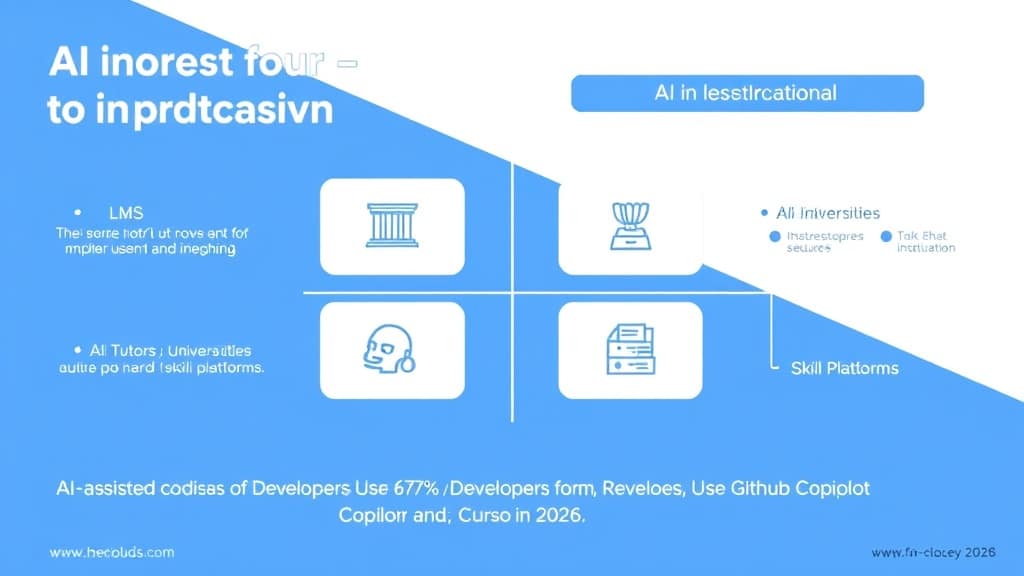
LMS Feature Development: Building features for platforms like Canvas, Moodle derivatives, or custom LMS systems involves repetitive patterns — CRUD for courses, lessons, quizzes, user progress. This is exactly where GitHub Copilot’s single-file autocomplete shines. Developers report that Copilot correctly completes 70–80% of boilerplate controller and model code without needing multi-file context. For EdTech engineering teams maintaining large LMS codebases, Copilot’s tight VS Code and JetBrains integration means low friction adoption — no IDE switch required.
AI Tutor Backend Development: Building the API layer behind an AI tutoring system — managing conversation history, interfacing with OpenAI or Anthropic APIs, handling streaming responses, implementing spaced repetition algorithms — involves complex, interconnected logic. Cursor’s multi-file context and its ability to understand your entire service architecture make it the better choice here. Developers at EdTech startups building AI tutor products have publicly noted that Cursor’s Composer mode can generate a full streaming API endpoint with error handling, rate limiting, and logging in a single composer session — a task that would take 3–4 separate Copilot interactions.
University Data Systems: Legacy data systems at universities often involve complex SQL queries, stored procedures, and ETL pipelines. Codeium has emerged as the tool of choice in cost-constrained university IT departments — its free tier supports unlimited completions with a context window competitive with paid tools. University developers working in Python, Java, or SQL find Codeium’s multi-language support and its ability to suggest complex SQL joins and aggregations particularly valuable.
Skill Assessment Platforms: Platforms that need to generate, evaluate, and score coding challenges (think HackerRank or similar) use AI tools in a unique way — not just to write their own code, but to help build the systems that evaluate student code. Tabnine’s on-premise deployment option has made it the choice for skill platform companies with strict data privacy requirements, where sending student code (even in aggregate) to external AI services creates compliance risk.
Visual Elements: AI Coding Tool Comparison

| Feature | GitHub Copilot | Cursor | Codeium | Tabnine |
|---|---|---|---|---|
| Price (2026) | $10/mo (Individual), $19/mo (Business) | $20/mo (Pro), Free tier available | Free (Individual), $12/mo (Teams) | $12/mo (Pro), Enterprise on-premise |
| IDE Support | VS Code, JetBrains, Neovim, Xcode | Cursor IDE only (VS Code fork) | 40+ IDEs including JetBrains, VS Code | VS Code, JetBrains, Eclipse, Vim |
| Context Awareness | Single-file + Workspace (limited) | Full codebase indexing, multi-file | Multi-file (improving rapidly) | Single-file, local model option |
| Code Quality | High (GPT-4o / Claude backend) | Very High (Claude 3.7 / GPT-4o) | High (proprietary + Claude) | Moderate-High (local or cloud) |
| Best For | Teams in existing IDEs, GitHub-heavy workflows | Complex projects, full-stack devs, refactoring | Budget-conscious teams, multi-language devs | Privacy-sensitive orgs, on-premise requirements |
AI-Assisted Coding Workflow Flowchart:
START → [Open IDE] → [Write comment/intent describing the task] → [AI suggests code] → [Review suggestion line by line] → [Accept/modify output] → [Run tests] → [Commit] → END
Key Insights:
Free 2026 Career Roadmap PDF
The exact SQL + Python + Power BI path our students use to land Rs. 8-15 LPA data roles. Free download.
- Cursor’s Composer mode is a genuine paradigm shift — the ability to describe a feature in natural language and have the AI implement it across multiple files simultaneously collapses the gap between architectural thinking and implementation.
- GitHub Copilot’s IDE ubiquity is a real advantage — teams that don’t want to switch IDEs or retrain muscle memory can get significant value from Copilot without disrupting existing workflows.
- The “accept rate” metric matters more than raw suggestions — developers who accept 35–45% of AI suggestions typically outperform those who accept 80%+ (over-trusting) or under 15% (under-utilizing). The sweet spot is thoughtful selective acceptance.
- AI coding tools have a measurable onboarding acceleration effect — new developers joining a codebase with Cursor can answer their own questions about how the codebase works by asking the AI, reducing senior developer interrupt time by an estimated 30% (Sourcegraph internal data, 2025).
- Security scanning is table stakes in 2026 — both Copilot (via GitHub Advanced Security integration) and Cursor (via third-party extensions) now flag AI-suggested code that matches known vulnerability patterns. Disable this and you’re accepting unacceptable risk.
- The tools are only as good as your test coverage — AI-generated code without a test suite to validate it is a liability, not an asset. Teams with 70%+ test coverage report dramatically higher confidence in AI-generated code and faster iteration cycles.
Case Study: How a 4-Person EdTech Team Shipped a Feature in 3 Days That Previously Took 2 Weeks
Background: Pesto Tech, a Bengaluru-based coding bootcamp platform with 8,000 active learners, needed to build a peer code review feature — allowing students to submit code, receive line-level comments from peers and mentors, and track review status. Historically, a feature of this complexity (backend API, database schema, React UI, real-time notifications) took their team of 4 engineers roughly 2 weeks per feature sprint.
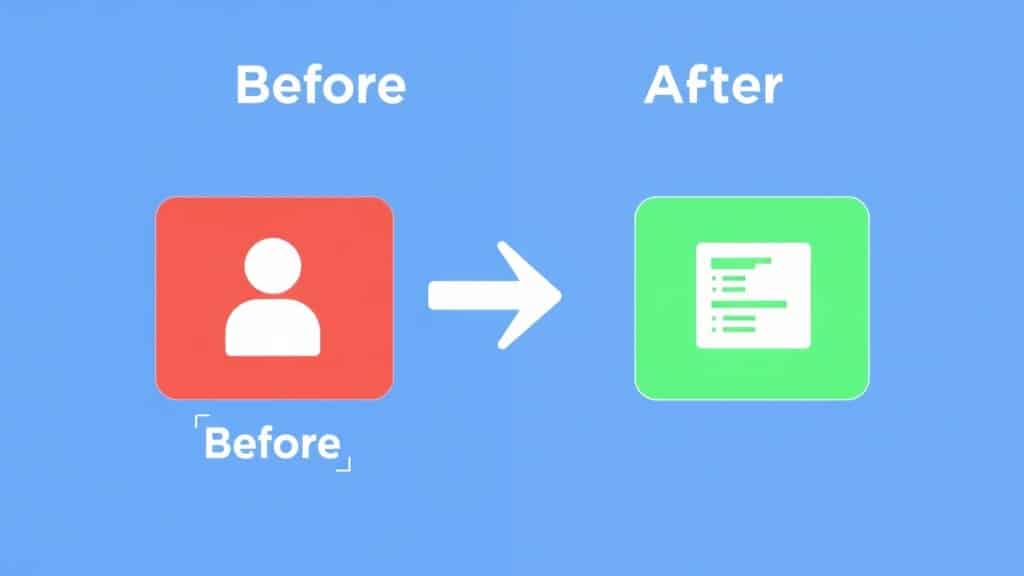
Before: The team used raw VS Code without AI assistance. A typical feature sprint involved significant time on boilerplate — writing repetitive API controllers, database migration files, and React component scaffolding. Roughly 40% of a developer’s time was spent on code that could be described as “mechanical” — correct but not intellectually challenging.
Transition to Cursor (December 2025): The team adopted Cursor Pro with full codebase indexing. For the peer review feature, the lead developer started each new file with a detailed comment block describing the data flow, expected inputs/outputs, and relevant existing models. Cursor’s Composer mode generated the initial API layer (5 endpoints) in a single 45-minute session. The Prisma schema for the review tables was generated and manually reviewed in 20 minutes. React components were scaffolded with Cursor and then customized.
After: The full peer code review feature — backend API, database layer, React UI, email notifications — shipped to production in 3 working days. Developer time on mechanical/boilerplate code dropped from 40% to approximately 12%. Time on review, testing, and product decision-making increased proportionally.
Key result metrics: 78% reduction in feature delivery time. 0 production bugs in the first 30 days post-launch (attributed to the increased time available for testing and review). Team reported higher satisfaction scores on their internal retrospectives — developers felt they were spending more time on interesting problems.
Common Mistakes Developers Make With AI Coding Tools

Mistake 1: Accepting AI suggestions without reading them
Why it happens: The suggestion looks right at a glance, the developer is in flow state, and the Tab key is right there. This is how subtle bugs (wrong variable names, missing null checks, slightly wrong API parameters) enter production.
The fix: Treat every AI suggestion like code from a smart but junior colleague who hasn’t fully read your docs. Read it. All of it. The 10 seconds saved by not reviewing will cost you an hour of debugging.
Mistake 2: Writing vague intent comments and blaming the AI for bad output
Why it happens: Developers write “// add user” and then complain that Copilot suggested the wrong thing. The AI is a prediction engine — garbage in, garbage out.
The fix: Write comments as if you’re explaining the task to a capable developer who has never seen your codebase. Include data types, edge cases, and relevant context. “// POST endpoint: create new user, validate email uniqueness against users table, hash password with bcrypt, return userId and JWT token, handle duplicate email with 409 status” produces dramatically better output.
Mistake 3: Using AI tools for security-sensitive code without expert review
Why it happens: AI tools are confident and their output looks correct. Authentication flows, authorization checks, and input sanitization code written by AI can contain subtle vulnerabilities that look right but aren’t.
The fix: Treat AI-generated security code (auth, authorization, input validation, cryptography) as a first draft that requires explicit security review by a senior developer or security tooling scan before merging. Never ship AI-generated authentication logic to production without this review gate.
Mistake 4: Switching tools every month chasing marginal improvements
Why it happens: New AI coding tool releases get heavy tech media coverage; it’s easy to believe the next tool is dramatically better. In practice, switching costs (relearning prompting patterns, reconfiguring keybindings, re-indexing your codebase) erode the gains from marginal quality improvements.
The fix: Pick one primary tool (Copilot or Cursor for most developers) and commit to it for at least 3 months. Track your personal productivity metrics. Only switch if the data clearly shows a meaningful improvement — not because a new benchmark came out.
FAQ: AI Coding Tools for Developers in 2026

How do I use GitHub Copilot and Cursor for faster coding in 2026?
Enable codebase indexing in Cursor for multi-file context. Write detailed intent comments before every function. Use Copilot Chat or Cursor’s Composer for tasks requiring 20+ lines of logic. Review every suggestion line by line. Run tests incrementally after each AI-generated block. This workflow reliably yields 30–50% productivity gains for most developers within 2–4 weeks of consistent practice.
GitHub Copilot vs Cursor — which is better for developers in 2026?
Cursor is better for complex, multi-file projects and developers who are willing to switch IDEs. Copilot is better for developers embedded in JetBrains or existing VS Code setups who want AI without workflow disruption. Both are excellent; the decision is about project complexity and workflow flexibility, not raw quality.
What are the best AI coding assistants for web developers in 2026?
Cursor Pro for full-stack developers working on complex projects. GitHub Copilot for developers in JetBrains or needing seamless GitHub integration. Codeium for budget-conscious teams or those needing wide IDE support. Tabnine for organizations with strict data privacy requirements needing on-premise deployment.
Will AI coding tools replace developers in 2026?
No — but they are replacing the parts of development that were purely mechanical. The demand for developers who can architect systems, make product decisions, review AI output critically, and build with AI assistance is growing, not shrinking. The JetBrains survey that found 68% AI tool adoption also found developer hiring intent was up 12% year-over-year. AI tools raise the floor; they don’t lower the ceiling on what skilled developers can accomplish.
Is Codeium really free and how does it compare to paid tools?
Codeium’s individual tier is genuinely free with unlimited completions as of March 2026. Code quality is competitive with Copilot for single-file completions; multi-file context lags behind Cursor but has improved significantly with their 2025 codebase indexing updates. For students, bootcamp graduates, and solo developers who can’t justify a $20/month tool, Codeium is the clear best choice.
Conclusion: AI Coding Is Now a Baseline Skill, Not a Differentiator

The 68% adoption number from JetBrains isn’t a ceiling — it’s a lagging indicator. By the time you read this, the percentage is higher. AI coding tools have crossed the threshold from “interesting experiment” to “professional expectation” in the same way that version control did in the 2000s. Developers who don’t have a fluent AI-assisted coding workflow in 2026 are operating at a structural disadvantage.
The good news: the tools are better than they’ve ever been, the learning curve for basic proficiency is genuinely short (most developers hit productive usage within a week), and the ceiling for what you can build with a well-tuned AI workflow keeps rising. Cursor’s multi-file context, Copilot’s GitHub integration, Codeium’s free tier — there’s a tool that fits every workflow and budget.
The choice isn’t whether to use AI coding tools. That decision has been made by the industry. The choice is whether you invest the time to use them well — with precise intent comments, disciplined review, strong test coverage, and an honest accounting of where AI helps vs. where it needs your expertise to steer it right. That investment pays back fast.
Book a Free Demo at GrowAI

