

DeepSeek R2 for Data Analysis: Is It Better Than ChatGPT in 2026?
DeepSeek R2 for Data Analysis: Is It Better Than ChatGPT in 2026?
A Chinese AI model just beat GPT-4o on coding benchmarks. Here’s what that actually means for data analysts.
The AI landscape shifted again in early 2026. DeepSeek R2 arrived quietly, then made serious noise — outperforming some of the most trusted models on tasks that data analysts care about most: writing Python scripts, generating SQL queries, and reasoning through complex data problems. If you have been relying on ChatGPT for your daily data work, this changes your toolkit.
But this is not a “ChatGPT is dead” story. It’s a smarter one. The real question isn’t which tool wins — it’s which tool wins at what. By the end of this post, you’ll know exactly where DeepSeek R2 dominates, where ChatGPT still holds ground, and how to build a workflow that uses both to maximum effect.
- DeepSeek R2 is a Chinese AI model released in early 2026 that outperforms GPT-4o on coding benchmarks
- It uses chain-of-thought reasoning, making it exceptionally strong for Python, SQL, and statistical logic
- Major weakness: no native file upload or live code execution in its consumer interface — ChatGPT’s Advanced Data Analysis wins here
- DeepSeek R2’s API is significantly faster and cheaper, making it ideal for automated data pipelines
- The smartest workflow splits the two: DeepSeek R2 for writing and debugging code, ChatGPT ADA for live data execution with file uploads
- Data teams using this hybrid approach are reporting faster script delivery and lower API costs
What Is DeepSeek R2?
DeepSeek R2 is the latest large language model from DeepSeek, a Chinese AI research company that has been quietly building some of the most technically capable models in the world. What makes R2 different from most models fighting for attention in 2026 is its architecture — specifically its use of chain-of-thought reasoning built directly into how it processes and responds to prompts.
Chain-of-thought reasoning means the model doesn’t just produce an answer — it works through a problem step by step before arriving at a conclusion. For data analysts, this is significant. When you ask DeepSeek R2 to write a multi-join SQL query or debug a pandas pipeline with a logic error, it doesn’t guess. It reasons through the data structure, identifies potential issues, and explains its choices as it builds the solution.
Released in early 2026, DeepSeek R2 was benchmarked directly against OpenAI’s GPT-4o and o3 — and it held its own or surpassed both on coding-specific evaluations. That’s not a minor achievement. GPT-4o has been the dominant model for developer and analyst workflows for over a year. DeepSeek R2 entering that conversation at competitive or superior performance levels, and at a fraction of the API cost, is a genuine disruption.
The model excels particularly in areas that demand precision and multi-step logic: SQL generation, Python scripting, data transformation code, and statistical analysis explanations. These are exactly the tasks data analysts run every day.
DeepSeek R2 vs ChatGPT — Head-to-Head Breakdown
Let’s get specific. Comparing these tools across five dimensions that actually matter to analysts gives a much clearer picture than benchmark scores alone.
Python and SQL Code Generation
DeepSeek R2 wins here. Its chain-of-thought architecture produces cleaner, more logically structured code. When asked to write a Python script that cleans a dataset, handles missing values, and outputs a summary report, R2 generates code that is commented, modular, and handles edge cases without prompting. SQL queries — including complex CTEs, window functions, and nested subqueries — come out cleaner and with fewer errors. ChatGPT GPT-4o is capable, but R2’s reasoning layer gives it a consistent edge in code quality and correctness.
File Upload and Live Execution
ChatGPT wins here, and it’s not close. ChatGPT’s Advanced Data Analysis (ADA) feature lets you upload a CSV or Excel file directly and execute Python code in a sandboxed environment — in the chat window, in real time. You can see outputs, charts, and errors without ever leaving the interface. DeepSeek R2’s consumer interface does not offer this natively. You get the code, but you run it yourself. For analysts who need live exploratory analysis, this is a real limitation.
Data Visualization
ChatGPT ADA again holds the advantage for visualization. Because it can execute code and render outputs directly, you can iterate on charts within a conversation — ask for a bar chart, tweak the colors, add labels, all in one session. DeepSeek R2 can write excellent Matplotlib and Seaborn code, but you’ll be running and testing it in your own environment. If visualization speed and iteration matter, ChatGPT is your tool. If you need clean visualization code for a production pipeline, R2 produces better-structured scripts.
Speed and Cost
DeepSeek R2 wins decisively on API economics. The cost per token is substantially lower than OpenAI’s API, and response latency is competitive. For teams building automated reporting systems, data pipelines, or any workflow that makes hundreds or thousands of API calls per day, this difference compounds quickly. Organizations running high-volume analytics workflows are seeing meaningful cost reductions by switching code generation tasks to DeepSeek R2’s API.
Reasoning Quality
This is where DeepSeek R2 separates itself from most competitors. On complex analytical reasoning — breaking down a business problem into data steps, identifying flaws in an analysis approach, explaining statistical outputs — R2’s chain-of-thought architecture produces responses that feel genuinely thoughtful rather than pattern-matched. For data analysts who use AI as a thinking partner, not just a code generator, this matters enormously.
Free 2026 Career Roadmap PDF
The exact SQL + Python + Power BI path our students use to land Rs. 8-15 LPA data roles. Free download.
Real-World Use Cases for Data Analysts
Complex SQL Query Writing
DeepSeek R2 is exceptionally strong here. Give it your schema, describe the business logic you need, and it produces accurate, well-structured SQL — even for complex reporting queries involving multiple joins, aggregations, and conditional logic. It explains each clause, which makes the output easy to verify and modify. Analysts at companies using large data warehouses like BigQuery or Snowflake are using R2 to cut query-writing time in half.
Python Data Pipeline Scripts
Building ETL pipelines, cleaning scripts, or transformation functions is where R2’s code generation quality becomes a real productivity multiplier. Paste in a description of your data flow, the input format, and the desired output, and R2 produces production-ready Python. It handles library choices (pandas, polars, SQLAlchemy), error handling, and logging logic without needing to be prompted for each piece. This is where the API cost advantage also kicks in — teams automating pipeline generation through the API are saving significant development time.
Statistical Analysis
Ask DeepSeek R2 to explain the right statistical test for a given dataset structure, write the code to run it, and interpret the output — and it does all three coherently. This makes it useful not just for writing analysis code but for analysts who are still building their statistical intuition. The chain-of-thought reasoning produces explanations that teach as much as they deliver answers.
Automated Reporting
Combining DeepSeek R2’s API with your data infrastructure is a strong setup for automated report generation. R2 can write the Python scripts that pull data, compute metrics, format outputs, and generate narrative summaries — all from a prompt. For weekly or monthly reporting workflows that currently require manual scripting effort, this is a significant time save.
Comparison: DeepSeek R2 vs ChatGPT ADA vs Claude
| Feature | DeepSeek R2 | ChatGPT ADA | Claude |
|---|---|---|---|
| Code Quality | Excellent — best-in-class for Python and SQL | Good — reliable, widely tested | Very good — strong on structured code |
| File Upload | Not available in consumer interface | Native — upload CSV, Excel, PDF | Available with Claude.ai Projects |
| Live Execution | No — generates code only | Yes — runs code in sandbox | Limited — no native code execution |
| Chart Generation | Code only — no rendered output | Yes — renders charts in chat | Code only — no rendered output |
| API Cost | Low — highly cost-efficient | High — premium pricing | Moderate — competitive tiers |
| Best Use Case | Code writing, SQL, automated pipelines | Live data exploration, EDA, visualization | Long-document analysis, narrative reporting |
Analyst Task Decision Flow
Writing or debugging code / SQL queries / automated pipelines → Use DeepSeek R2 → Clean, production-ready scripts
Live data exploration / file upload / chart generation → Use ChatGPT ADA → Real-time analysis and rendered visualizations
Maximum output → Combine Both → Write with DeepSeek R2, execute with ChatGPT ADA → Faster delivery, lower cost, better results
Key Insights
- DeepSeek R2 produces higher-quality code for complex Python and SQL tasks than GPT-4o in most benchmark categories
- ChatGPT ADA’s live execution and file upload capabilities are still unmatched for interactive exploratory data analysis
- The API cost gap between DeepSeek R2 and OpenAI is large enough to meaningfully impact budgets for high-volume workflows
- Chain-of-thought reasoning makes DeepSeek R2 especially useful as a thinking partner for complex analytical problems, not just a code generator
- The most effective analyst workflows in 2026 are not “pick one AI” — they are intentional combinations of tools matched to task type
Case Study: One Team’s Switch to a Split AI Workflow
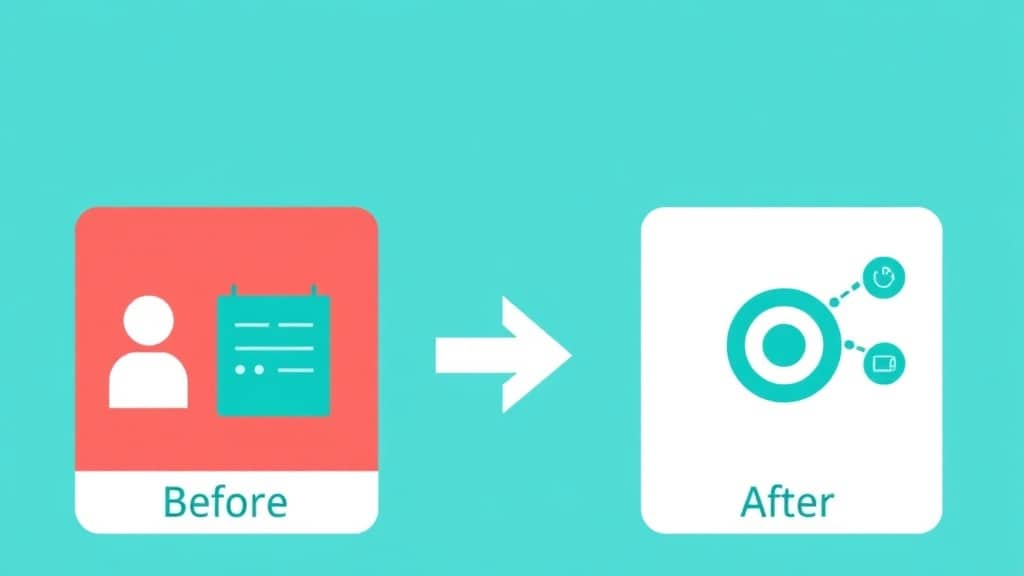
A data analytics team at a mid-sized e-commerce company had been running all their AI-assisted work through ChatGPT — EDA, SQL generation, Python scripting, reporting automation, everything. It worked, but the costs were adding up, and the scripts often needed significant cleanup before they were production-ready.
Before: The team used ChatGPT for every task. SQL queries were written in chat, files were uploaded for quick EDA, and Python scripts were generated and run inside ADA. The workflow was convenient but expensive, and the code quality was inconsistent — especially for complex multi-step scripts that required precise logic.
After: They restructured around a split workflow. DeepSeek R2’s API became the engine for all code generation tasks — SQL queries, ETL scripts, pipeline functions, and automated reporting code. ChatGPT ADA stayed in the workflow for tasks that required it: uploading raw data files for exploratory analysis, generating quick visualizations during client meetings, and running one-off analyses without setting up a local environment.
Outcome: API costs for code generation dropped by roughly 60%. Script quality improved — fewer errors on first run, better handling of edge cases, cleaner structure. The team estimated saving four to six hours per week on script writing and debugging across a team of three analysts. The split workflow, once understood, became faster to use than the single-tool approach because each tool was doing what it was best at.
Common Mistakes Analysts Make When Using These Tools
Mistake 1: Using ChatGPT for Everything
ChatGPT ADA is excellent for live analysis, but using it as your default code generator for all tasks means paying premium API rates and accepting lower code quality on complex scripts. The fix: route code writing and SQL generation to DeepSeek R2 and save ChatGPT ADA for tasks that actually need file execution or interactive output.
Mistake 2: Expecting DeepSeek R2 to Execute Code
Analysts new to R2 sometimes expect it to behave like ChatGPT ADA — running code, reading uploaded files, rendering charts. It doesn’t, and expecting it to wastes time. The fix: treat DeepSeek R2 as a powerful code author. You execute its output in your own environment, IDE, or notebook.
Mistake 3: Giving Vague Prompts for SQL Generation
Both tools struggle with SQL when the data schema is unclear or the business logic is described loosely. “Write me a query to show sales trends” produces mediocre output. The fix: always provide the table names, column names, and the exact logic you need. The more schema context you give DeepSeek R2, the more accurate and efficient the output.
Mistake 4: Not Verifying AI-Generated Code Before Production Use
Both DeepSeek R2 and ChatGPT can produce code that looks correct but contains logical errors — especially in complex aggregations or data transformations. The fix: treat AI-generated code as a strong first draft. Always test with a sample dataset before running against production data, and review the logic, not just the syntax.
FAQ
Is DeepSeek better than ChatGPT for coding?
For pure code generation — especially Python and SQL — DeepSeek R2 outperforms ChatGPT GPT-4o on most benchmarks in 2026. Its chain-of-thought reasoning produces more precise, better-structured code. ChatGPT ADA has an advantage when you need to run code against uploaded data in real time.
Can DeepSeek R2 analyze data?
Yes, but differently from ChatGPT ADA. DeepSeek R2 can reason through data problems, write analysis code, and explain statistical concepts with strong accuracy. What it cannot do natively is execute that code against a file you upload — you run the code yourself in your own environment.
How do I use DeepSeek R2 for Python data analysis?
The most effective approach is to describe your data structure and analysis goal clearly, then ask R2 to write the Python code. Include your column names, data types, and the specific output you need. Copy the code into your IDE or Jupyter notebook and run it there. For debugging, paste the error back into R2 and it will reason through the fix.
Is DeepSeek R2 free to use?
DeepSeek R2 is available through their website with a free tier. The API is available at low cost — significantly cheaper than OpenAI’s API pricing — making it attractive for automated workflows and pipeline integration.
Should I switch from ChatGPT to DeepSeek R2 for data work?
Not entirely — but you should absolutely add it to your toolkit. The smart move for most data analysts in 2026 is a split workflow: DeepSeek R2 for writing code and SQL, ChatGPT ADA for live data execution and exploratory analysis with file uploads. You get the strengths of both without the limitations of either.
The Bottom Line
DeepSeek R2 for data analysis is not a future consideration — it’s a right-now tool that is already changing how serious analysts work. Its code generation quality, reasoning depth, and API economics make it the strongest choice available for writing Python scripts, building SQL queries, and designing automated data pipelines.
ChatGPT ADA is not going anywhere. Its live execution and file upload capabilities keep it essential for exploratory analysis and interactive work. The analysts winning in 2026 are not picking one tool — they are building deliberate workflows that use each model where it performs best.
If you want to move from using AI reactively to using it as a structured competitive advantage in your data work, the next step is building real skills — not just prompting, but workflow design, tool selection, and applied analytics technique.
The GrowAI Data Analytics Course covers AI-powered data workflows, practical Python and SQL for analysts, and how to integrate tools like DeepSeek R2 and ChatGPT into production-ready processes.
Ready to start your career in data?
Book a free 1-on-1 counselling session with GrowAI. Personalised roadmap, zero pressure.

